描述
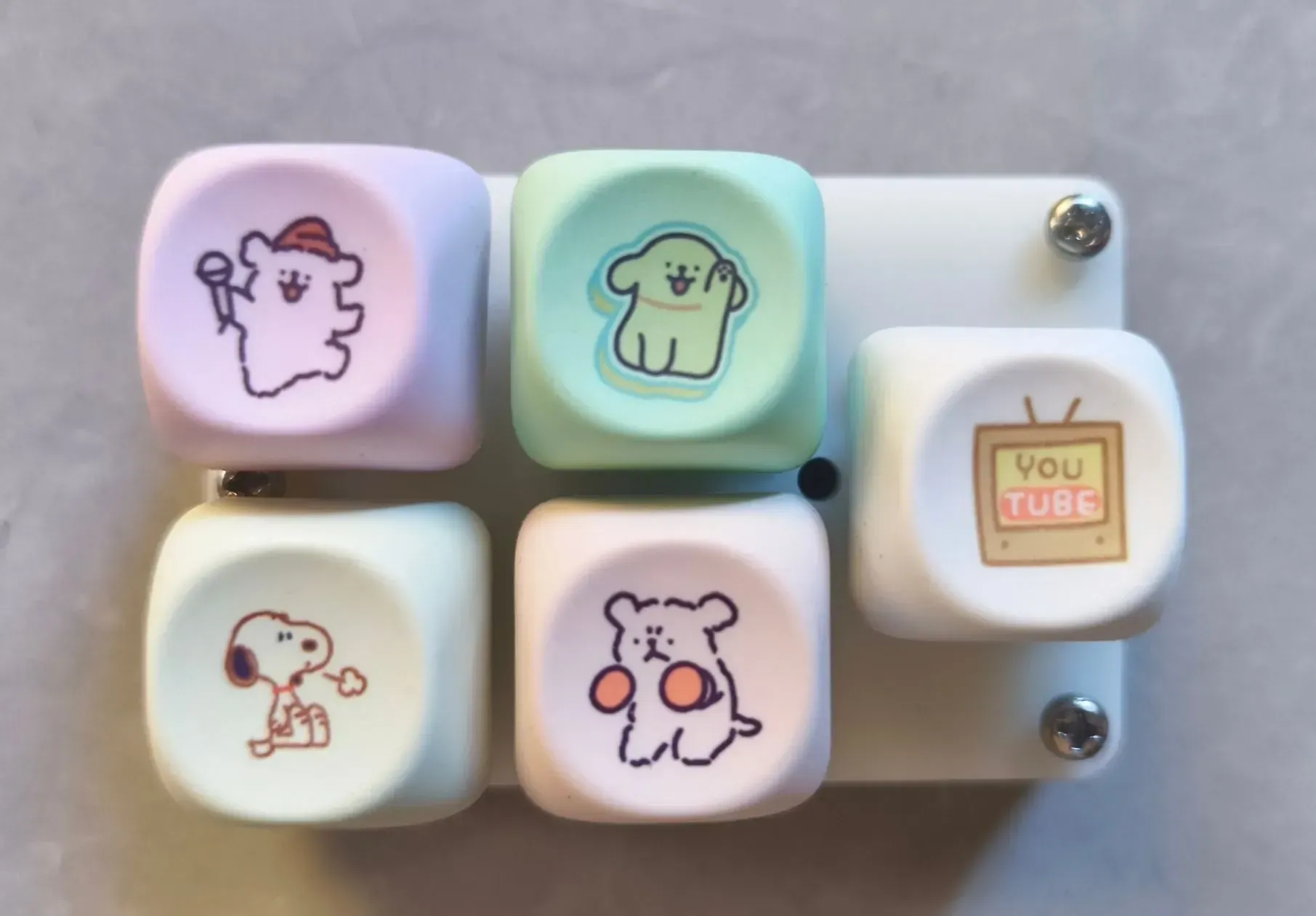
<p>项目由5个按键</p>
<p><img src="//image.lceda.cn/pullimage/aG0hWPGXlpSDBiQM5DWGYJNSbN8Zy38aj5JWU53p.jpeg" alt="" width="1200" height="1200"></p>
<p><img src="//image.lceda.cn/pullimage/vJetJOrfHSoceyj9r8ioRCrEXrxkaOXZipGfe42S.jpeg" alt="" width="1200" height="1200"></p>
<h2>系统框图&成本统计</h2>
<p><img src="https://image.lceda.cn/oshwhub/pullImage/9a797dbc56de49d08024d72f1048c621.png" alt="系统"></p>
<h2>软件代码 & 3D模型</h2>
<p><img src="//" alt="BinaryKeyboard"></p>
<p><strong>BinaryKeyboard|100% 开源</strong><br>开源内容:<strong>键盘固件源代码</strong>、<strong>改键软件</strong>、<strong>3D 工程源文件(Shapr3D)</strong><br>仓库:<a href="https://github.com/MeowKJ/BinaryKeyboard" target="_blank">https://github.com/MeowKJ/BinaryKeyboard</a><br>协议:<strong>GPL-3.0</strong><br>欢迎 Contribute / Issue / PR</p>
<h2>编辑环境</h2>
<p>编译键盘 CMake Ninja SDCC-4.5.0 Python3.10+<br>编译改键软件 Node20+ Pnpm</p>
<h2>快速开始</h2>
<ul>
<li>在线文档:<a href="https://meowkj.github.io/BinaryKeyboard/" target="_blank">https://meowkj.github.io/BinaryKeyboard/</a> (由AI生成,不要抱有太大期待)</li>
<li>神奇喵喵终端工具:<code>python tools/scripts/console.py</code></li>
</ul>
<p><img src="https://image.lceda.cn/oshwhub/pullImage/5f7842674887414a868d630b53cf65e4.png" alt="image.png"></p>
<h2>推荐入口</h2>
<p>仓库根目录下直接运行:</p>
<pre><code>python tools/scripts/console.py
</code></pre>
<h2>代码纯小白,环境不会配置,但是想改动功能?</h2>
<p>> 仓库地址: <a href="https://github.com/MeowKJ/BinaryKeyboard" target="_blank">https://github.com/MeowKJ/BinaryKeyboard</a></p>
<ol>
<li>进入 GitHub 仓库,先点右上角的 Star (重要) ,然后再 Fork 一份到你自己的账号</li>
<li>使用 AI Agent,比如 Codex / GitHub Copilot 之类的工具,告诉它:你的仓库地址、你想改什么</li>
<li>push 到 main 可以触发 GitHub Actions 自动编译</li>
<li>提交到你自己的 main 分支,等待 action 自动编译对应固件</li>
<li>去 Release 下载固件,回来测试</li>
<li>(可选) 如果你觉得这个功能确实不错,适合所有人用,可以再让 AI 帮你发 PR 到主仓库 (仓库不反对使用 AI 提交代码,但 PR 内容还是要遵循贡献规范,不要一次性提交大量非同模块改动,代码最终还是会经过检查)</li>
</ol>
<h2>HID Report ID 说明</h2>
<table>
<tr>
<th><strong>Report ID</strong></th>
<th><strong>功能</strong></th>
<th><strong>数据</strong></th>
<th><strong>说明</strong></th>
</tr>
<tr>
<td>1</td>
<td>键盘</td>
<td>8字节</td>
<td>用于模拟键盘输入</td>
</tr>
<tr>
<td>2</td>
<td>控制器</td>
<td>16位 * 4</td>
<td>用于模拟控制器输入</td>
</tr>
<tr>
<td>3</td>
<td>鼠标</td>
<td>5字节</td>
<td>用于模拟鼠标输入</td>
</tr>
<tr>
<td>4</td>
<td>主机 -> 键盘</td>
<td>31字节</td>
<td>主机发送数据到键盘</td>
</tr>
<tr>
<td>5</td>
<td>键盘 -> 主机</td>
<td>31字节</td>
<td>键盘发送数据到主机</td>
</tr>
</table>
<h2>改键软件</h2>
<p>改键软件采用 <strong>Vue3</strong> 开发,目前自动部署在<code>Vercel</code>。可访问<a href="https://github.com/MeowKJ/BinaryKeyboard/deployments" target="_blank">https://github.com/MeowKJ/BinaryKeyboard/deployments</a> 查看部署日志。此键盘的通讯方式基于 <strong>HID</strong>协议。能够自动识别3款键盘进行改变键位映射。目前支持映射键盘,多媒体,鼠标3种键位设置。<br>使用方法:使用Chrome或Edge浏览器访问 <a href="http://key.mpas.top/" target="_blank">http://key.mpas.top/</a> 即可。<br>也可自己部署或者打包为桌面软件。</p>
<h3>旧版</h3>
<p><img src="https://image.lceda.cn/oshwhub/pullImage/c09ebe2752384daf8d605908c313c05d.png" alt="image.png"></p>
<p><img src="https://image.lceda.cn/oshwhub/pullImage/d500d8d24ab941108e8b4f1702132bfc.png" alt="image.png"></p>
<h3>新版</h3>
<p>新版增加了 RGB设置、层切换、宏管理。</p>
<p><img src="https://image.lceda.cn/oshwhub/pullImage/a2425d981ebe470fa5a572dc2f288c61.png" alt="image.png"></p>
<p><img src="https://image.lceda.cn/oshwhub/pullImage/a40d2d36c41e4fa7888d7b1e270c31d5.png" alt="image.png"></p>
<h2>层!</h2>
<p>层的数量 = 轴的数量<br>按住FUNC键的同时按下轴,就可以切换到对应的层。如果安装了RGB,对应的RGB会闪烁。</p>
<p>改键软件左侧的小键盘可以切换你需要改键的层。</p>
<p><img src="https://image.lceda.cn/oshwhub/pullImage/afdd751ebec144c6980b8156f47fea25.png" alt="image.png"></p>
<h2>宏!</h2>
<p>CH552g版本支持2个小杯宏,采用特别设计的<code>MeowMarco</code>宏描述语言。需要去<code>Github</code>的<code>Release</code>页面下载最新固件。</p>
<p><img src="https://image.lceda.cn/oshwhub/pullImage/8c1b3e34ff734193a1e66957b787d5a5.png" alt="463f575a-cee1-49c7-b319-2766b8a51a68.png"></p>
<p><img src="https://image.lceda.cn/oshwhub/pullImage/ab9e8a2fc8814f1395515de10584ad40.png" alt="f51656f4-256e-429d-a19d-52c9ad246081.png"></p>
<h2>3D打印</h2>
<p>普通的FDM就能打!</p>
<p><img src="https://image.lceda.cn/oshwhub/pullImage/927799902d0a441798e2f106c9af2c65.png" alt="3D模型"></p>
<h2>固件</h2>
<p>固件由<code>Github Action</code>自动编译而成,可以在改键软件中看到最新的固件版本。</p>
<p>固件发布地址<br><a href="https://github.com/MeowKJ/BinaryKeyboard/releases" target="_blank">https://github.com/MeowKJ/BinaryKeyboard/releases</a></p>
<h3>📌 固件文件说明</h3>
<ul>
<li><code>CH552G_BASIC_xxxx.hex</code> - 适用于 <strong>基础款</strong></li>
<li><code>CH552G_5KEYS_xxxx.hex</code> - 适用于 <strong>五键款</strong></li>
<li><code>CH552G_KNOB_xxxx.hex</code> - 适用于 <strong>旋钮款</strong></li>
</ul>
<h3>📌 3D打印文件</h3>
<h4><strong>基础款</strong></h4>
<ul>
<li><code>Basic.stl</code> - <strong>尾盖 + 1.5mm 定位板</strong></li>
</ul>
<h4><strong>五键款</strong></h4>
<ul>
<li><code>FiveKeysBox.stl</code> - <strong>尾盖</strong></li>
<li><code>FiveKeyPlateCube.stl</code> - <strong>一体化上盖</strong> (无需定位板)</li>
<li><code>FiveKeysPlate.stl</code> - <strong>1.5mm 定位板</strong></li>
</ul>
<h4><strong>旋钮款</strong></h4>
<ul>
<li><code>KnobBox.stl</code> - <strong>尾盖</strong></li>
<li><code>KnobPlateCube.stl</code> - <strong>一体化上盖</strong> (无需定位板)</li>
<li><code>KnobPlate.stl</code> - <strong>1.5mm 定位板</strong></li>
</ul>
<h4>📌 软件工具</h4>
<ul>
<li><code>binary-keyboard-studio-web.zip</code> - <strong>编译好的 Web 版改键工具</strong></li>
</ul>
<h2>烧录固件的方式</h2>
<p>使用WCHISPStudio烧录CH552g。<br>如果插入直接USB-C后没有识别到,则拔掉USB-C,长按住BOOT按钮 (距离边缘更近的那个小按钮) 然后接入USB-C,进入BOOTLOADER模式。</p>
<p><img src="https://image.lceda.cn/oshwhub/pullImage/7c87beb9a043487397375e7c96b83c7c.png" alt="image.png"></p>
<h2>参考&感谢</h2>
<p><a href="https://oshwhub.com/inramento/3jian-CVxiao-jian-pan" target="_blank">3键CV小键盘_三键工程师键盘_CH552G</a><br><a href="https://github.com/DeqingSun/ch55xduino" target="_blank">Ch55xduino</a><br><a href="https://www.wch.cn/" target="_blank">WCH沁恒微电子</a><br><a href="https://www.shapr3d.com/" target="_blank">Shapr3D</a><br><a href="https://bambulab.com/" target="_blank">Bambu Lab</a><br><a href="https://oshwhub.com/aaaou" target="_blank">Aaaou</a></p>





评论(1)