描述
<h2>项目简介</h2>
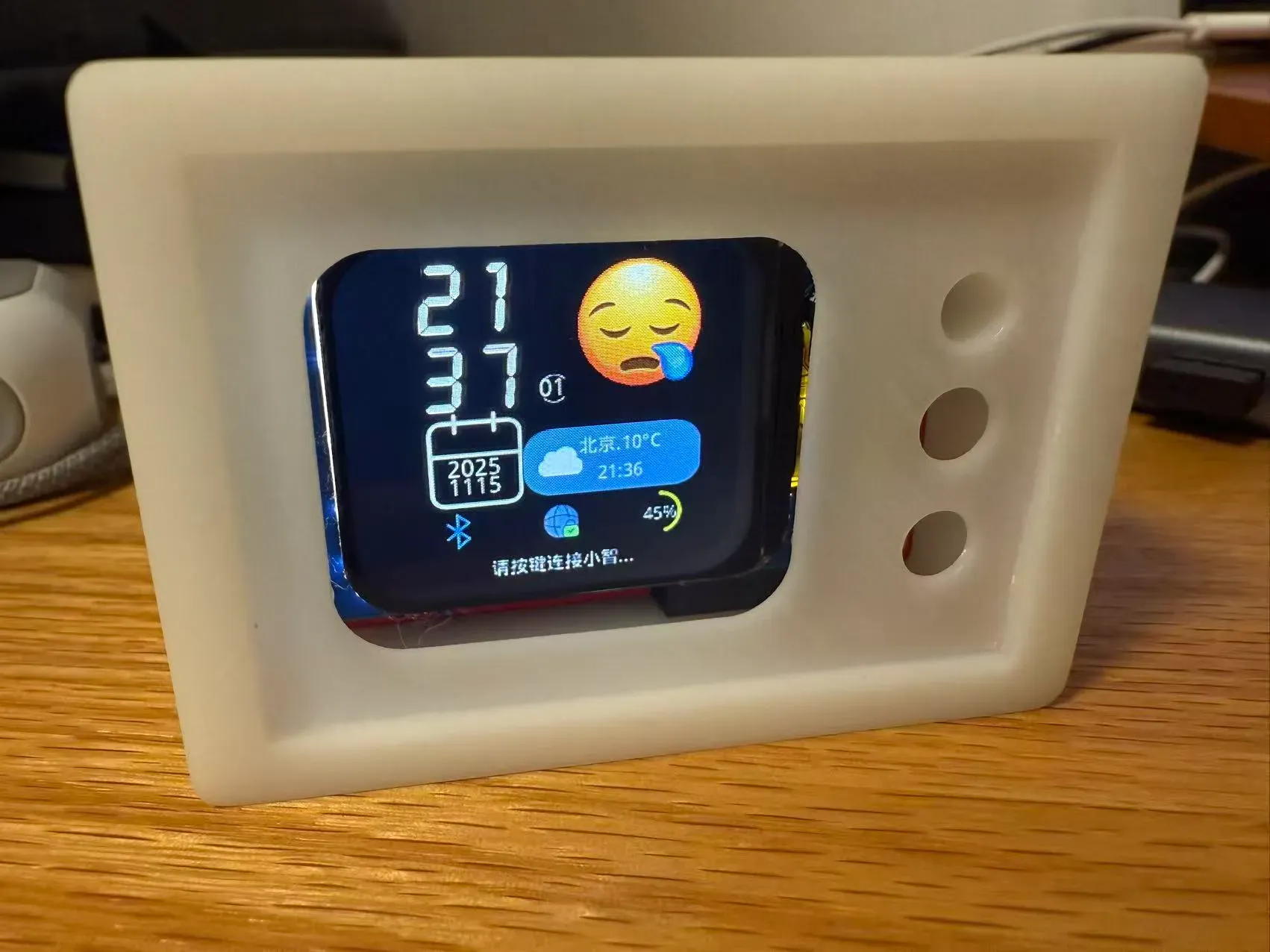
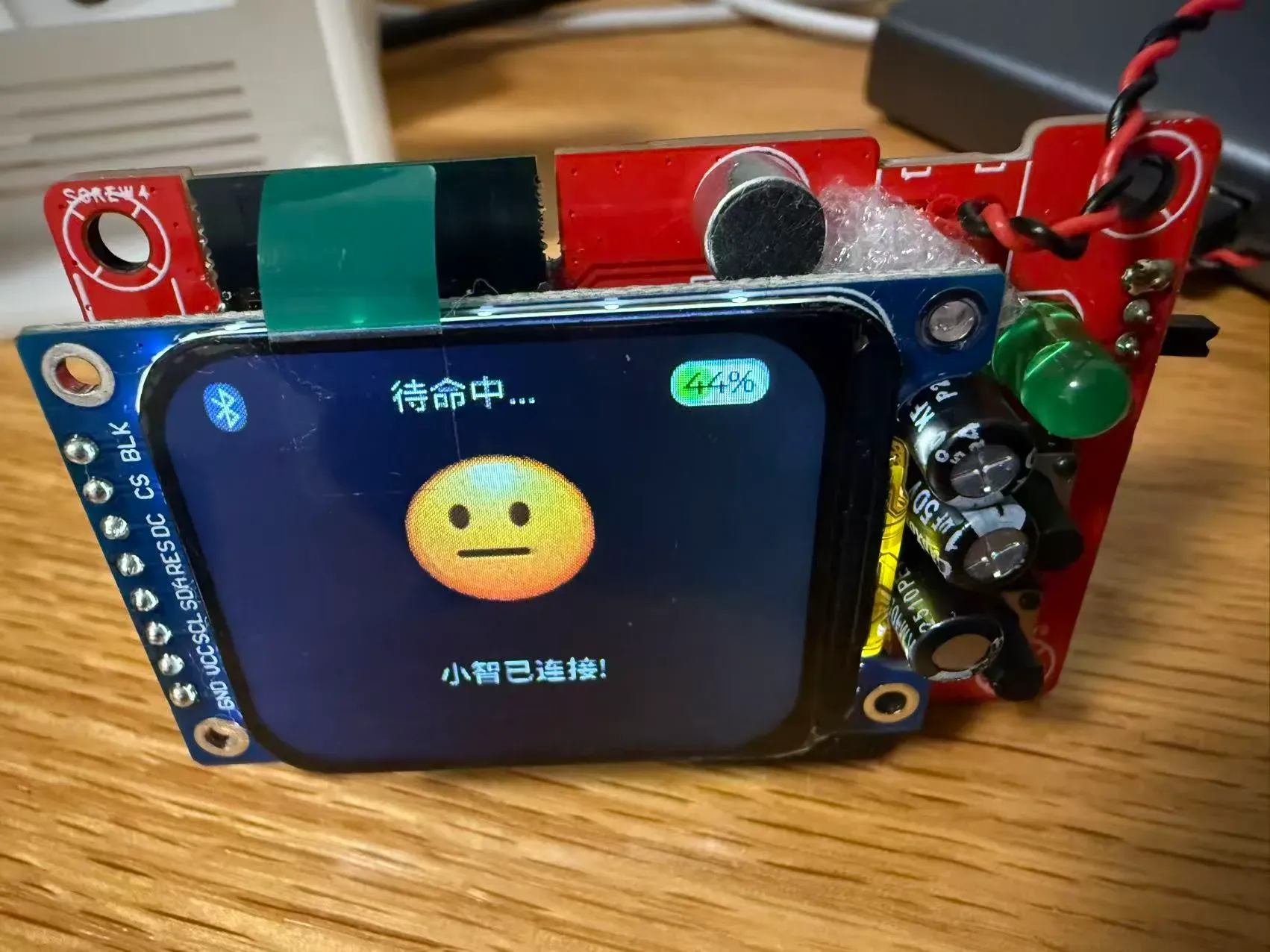
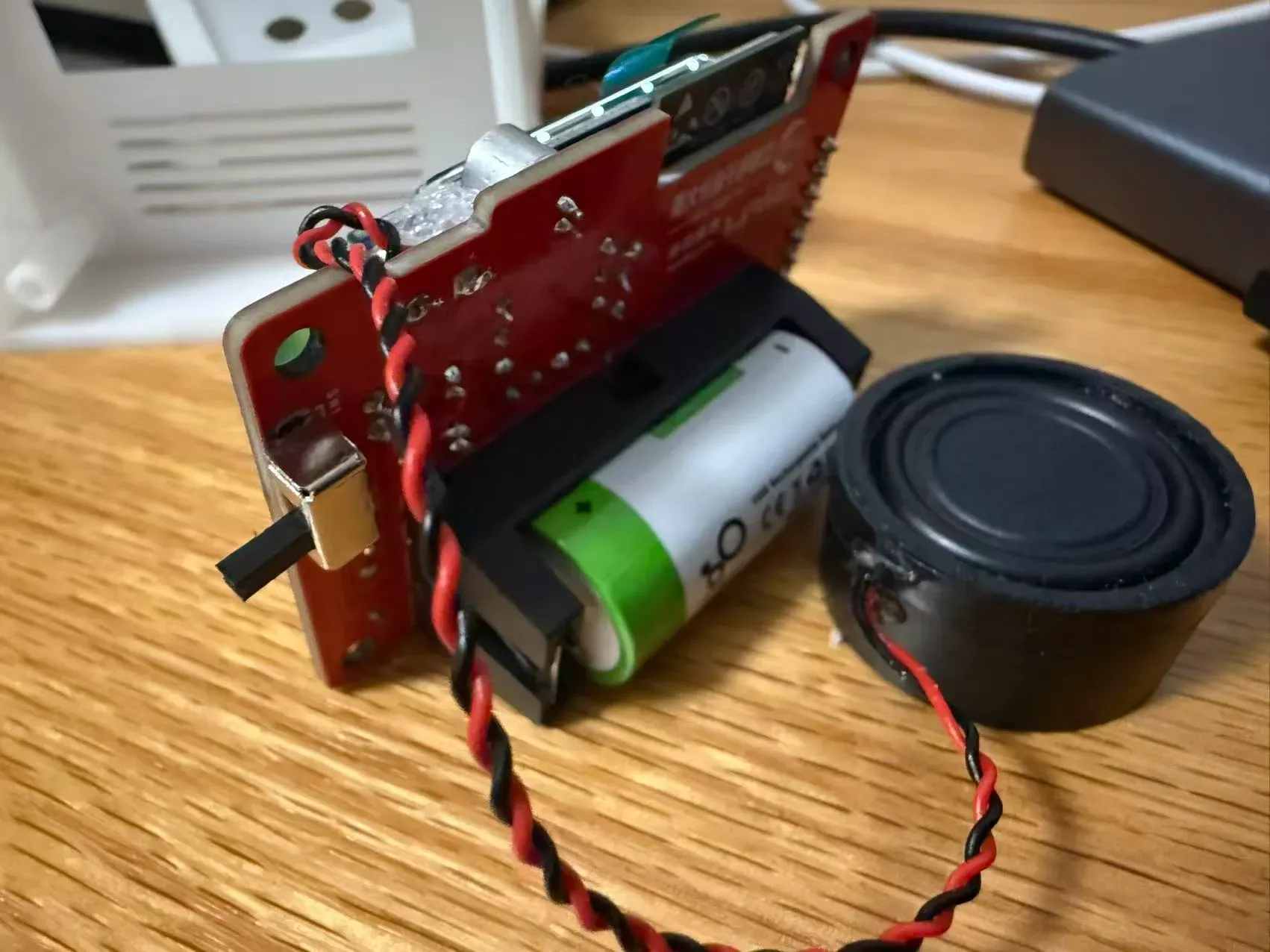
<p>基于 立创SF32LB52蓝牙模组 和 <a href="https://github.com/78/xiaozhi-sf32" target="_blank">小智固件</a> 制作的简易AI对话机器人,实现AI实时语音对话。它能够听懂你的情绪,解答你的疑惑,也能分享你的快乐。</p>
<h2>项目参数和原理解析</h2>
<p>电路板3D预览
<img src="https://image.lceda.cn/oshwhub/pullImage/7363112f0fca467eaee59097635242cc.png" alt="image.png"></p>
<p>参加的立创的活动,项目详细说明看<a href="https://lceda002.feishu.cn/wiki/B2LLwyC7binHuJkkHGMce03wnWf?fromScene=spaceOverview" target="_blank">官方文档</a>,要比我复述的详细,在这里就不赘述了。</p>
<h3>尺寸精巧</h3>
<p><img src="https://image.lceda.cn/oshwhub/pullImage/ee33ac571ec24bd686129ac700b61b61.png" alt="image.png"></p>
<h3>电路部分:</h3>
<p><img src="https://image.lceda.cn/oshwhub/pullImage/605f8845b6544bffa5f8ca1d3a28c7da.png" alt="image.png"></p>
<h2>软件代码</h2>
<p>直接使用的开源固件,这里简单说明下在mac电脑上使用下载工具过程,固件下载查看官方文档就可以</p>
<ol>
<li>插上下载器查看设备信息
<pre><code>ls /dev/tty.*
# 一般会出现
/dev/tty.usbserial-1xxx
出现这样一个设备地址</code></pre></li>
<li>下载固件
<pre><code>
sftool -c SF32LB52 -p /dev/tty.usbserial-1130 write_flash bootloader.bin@0x12010000 ftab.bin@0x12000000 ER_IROM2.bin@0x12A28000 ER_IROM3.bin@0x12268000 ER_IROM1.bin@0x12020000</code></pre></li>
</ol>
<p>[0x02] Connected success!
[0x03] Download stub success!
[0x04] Need to re-download
[0x05] Downloaded successfully for 0x12010000..0x1201E133 = 53.17 KiB/s 100.000%
[0x06] Verify success!
[0x07] Need to re-download
[0x08] Downloaded successfully for 0x12000000..0x12002C17 = 50.90 KiB/s 100.000%
[0x09] Verify success!
[0x0A] Need to re-download
[0x0B] Downloaded successfully for 0x12A28000..0x12DE9E0B = 87.28 KiB/s 100.000%
[0x0C] Verify success!
[0x0D] Need to re-download
[0x0E] Download at 0x12268000... ======================>---- 87.99 KiB/s 83.371%
[0x0E] Downloaded successfully for 0x12268000..0x1264DF37 = 87.81 KiB/s 100.000%
[0x0F] Verify success!
[0x10] Need to re-download
[0x11] Downloaded successfully for 0x12020000..0x1220B737 = 87.17 KiB/s 100.000%
[0x12] Verify success!</p>
<h1>出现以上信息则下载成功,关闭电源重启就可以了</h1>
<pre><code>
## 注意事项
碰到的问题:
1、烧录固件中出现以下错误</code></pre>
<p>[0x00] Failed to connect to the chip, retrying...
[0x01] Failed to connect to the chip, retrying...</p>
<pre><code>
需要安装上电池,开启设备电源
* 小船装配完成后需要对其进行平衡处理
* 遥控器使用前需要配对
* 外壳装配完成后需要对齐进行填缝防水处理
## 其他
</code></pre>






评论(0)